Built in the bay by a working tinter
Built for the whole shop, not just the tint bay.
Quotes, booking, payments, film and marketing for tint, PPF, ceramic coating, detailing, vinyl wrap and flat glass.
Every trade gets its own price book, packages and proposals. 14 days of Business free, no card.
Nine tabs, three apps,
and a notes app full of prices.
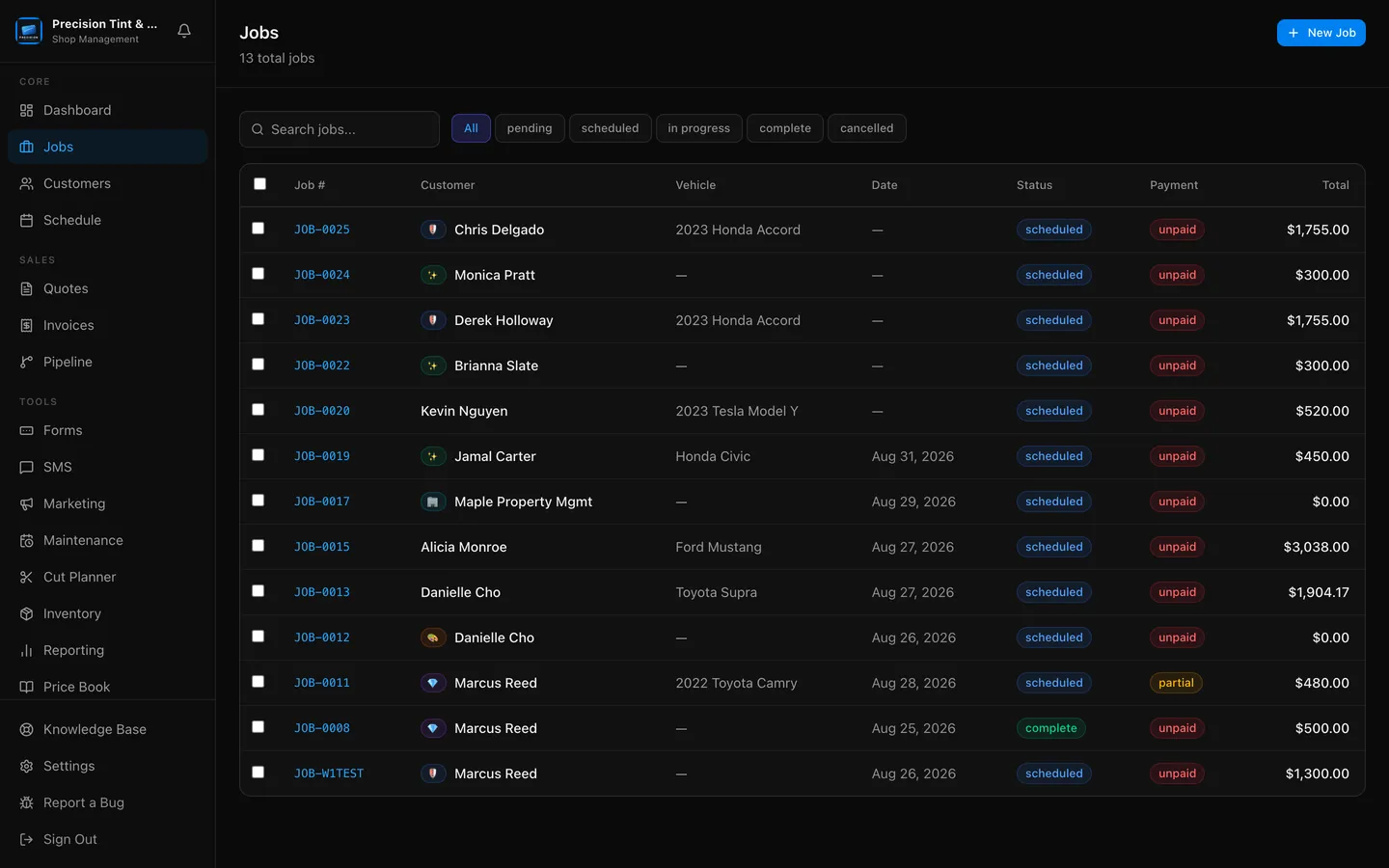
That is how most shops run. Quotes in one place, the calendar in another, invoices in a third, and the film count in your head. PeelBoard puts the whole thing on one board.
From "how much?" to paid,
without chasing anybody.
Send a proposal they can approve on their phone.
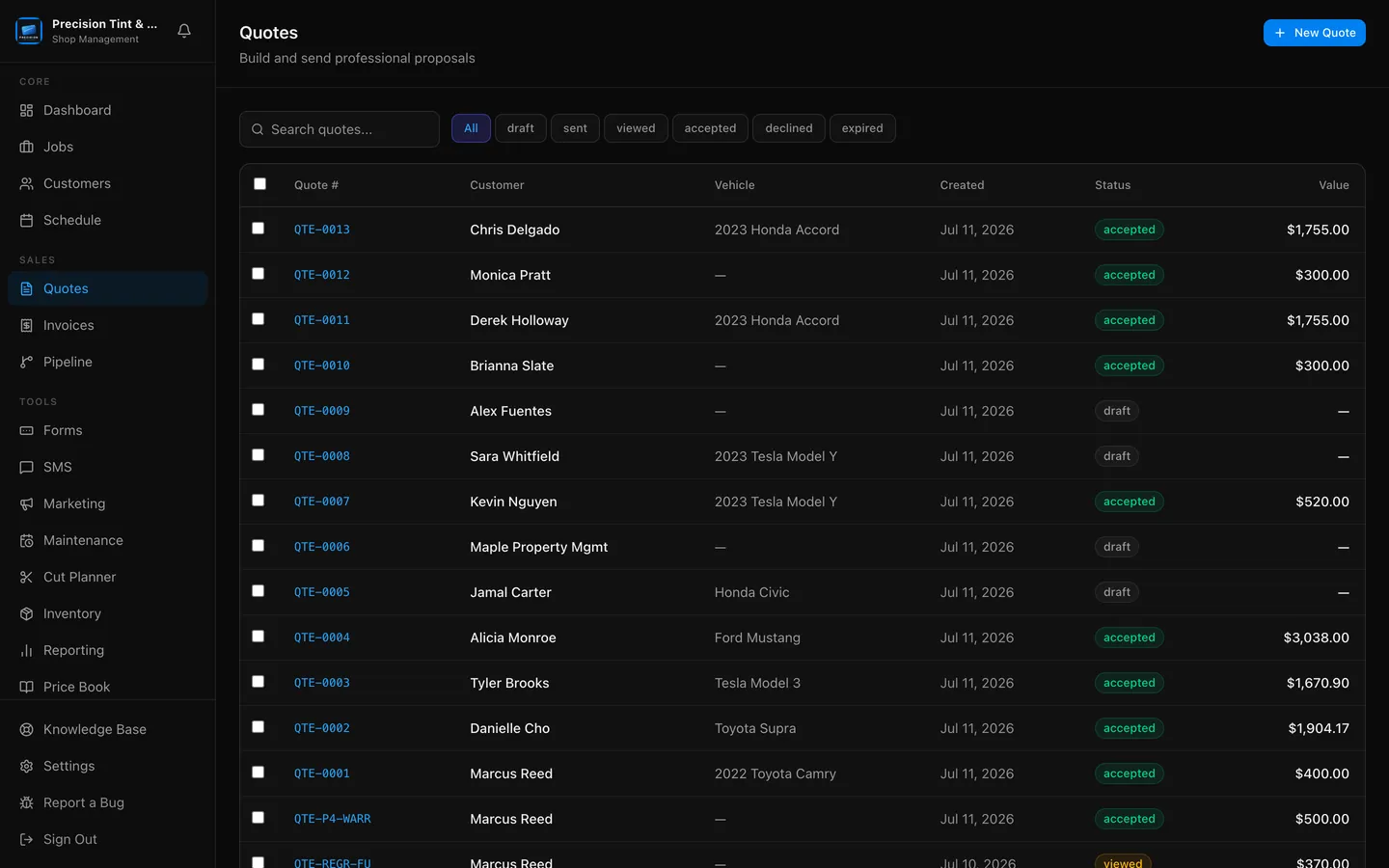
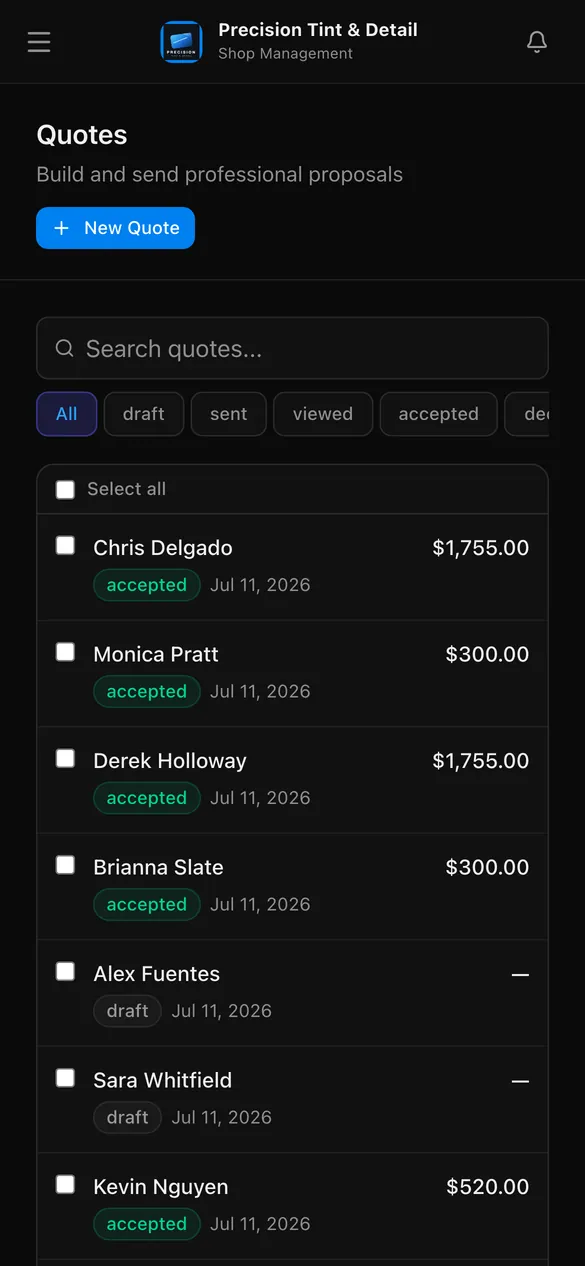
Build the price book once: film tiers, coverage packages, add-ons, vehicle classes. After that, quoting is picking options and hitting send. Offer two or three packages at their own prices, pull your real Google reviews in beside them, and freeze the price the moment it goes out.
They pick a time, pay the deposit, and land on the board.
Approval, booking and deposit happen in one flow through Stripe or Square. The job lands on your calendar with its line items and installer already attached, publishes to your Apple or Google Calendar, and mobile jobs collect the address up front.
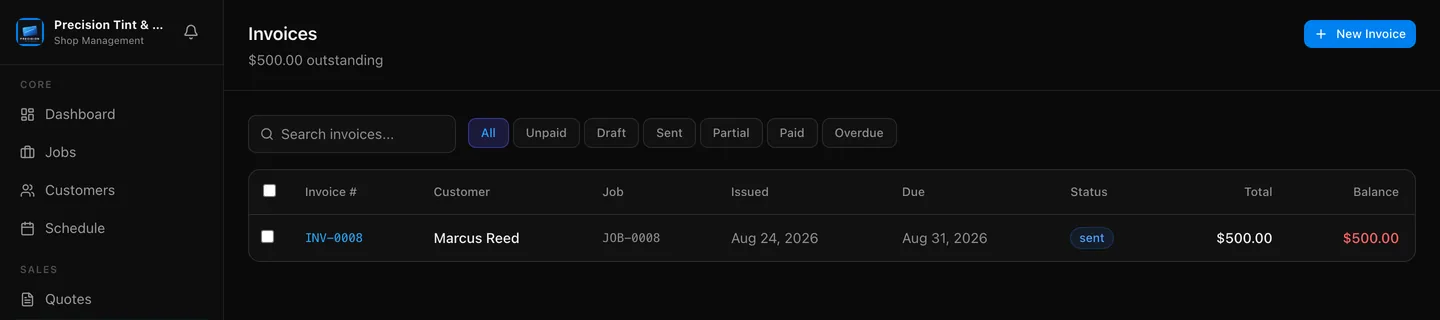
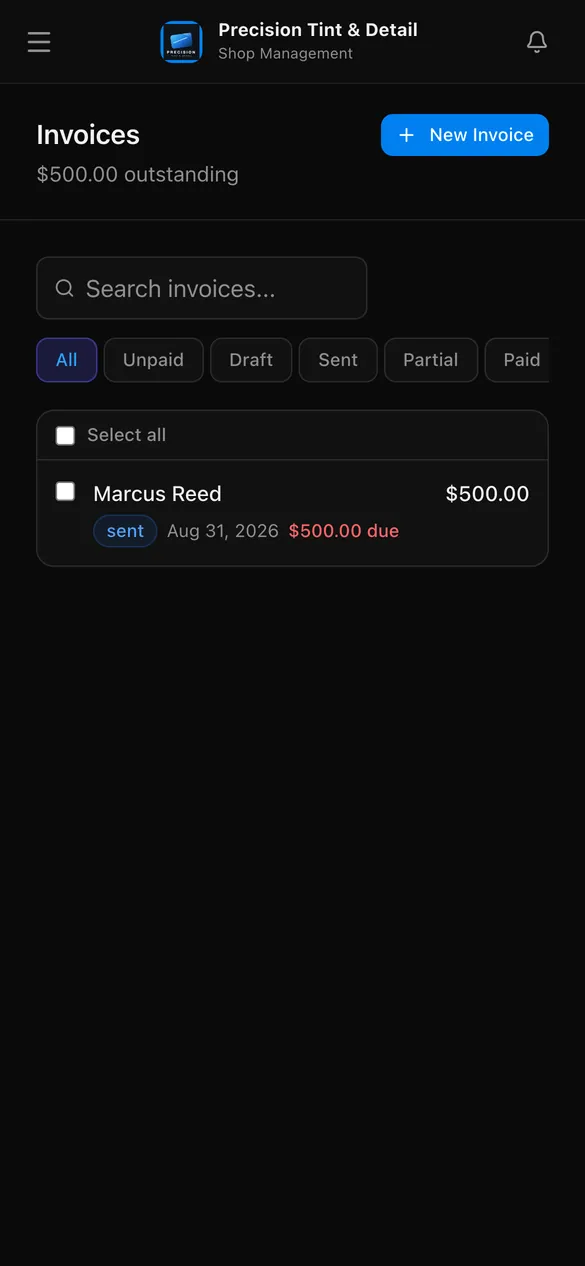
Invoice online, then let the review request send itself.
The deposit is already applied. Customers pay by card, Apple Pay or Google Pay (Cash App and Afterpay too on Square), add a tip, or split it. Mark the job done and the Google review request texts itself.
Everything included
One login. The entire shop.
No bolt-ons, no "integrates with" workarounds. It runs in the browser and installs to your phone as a home-screen app; native iOS and Android apps are on the way.
Sales and leads that do not fall through.
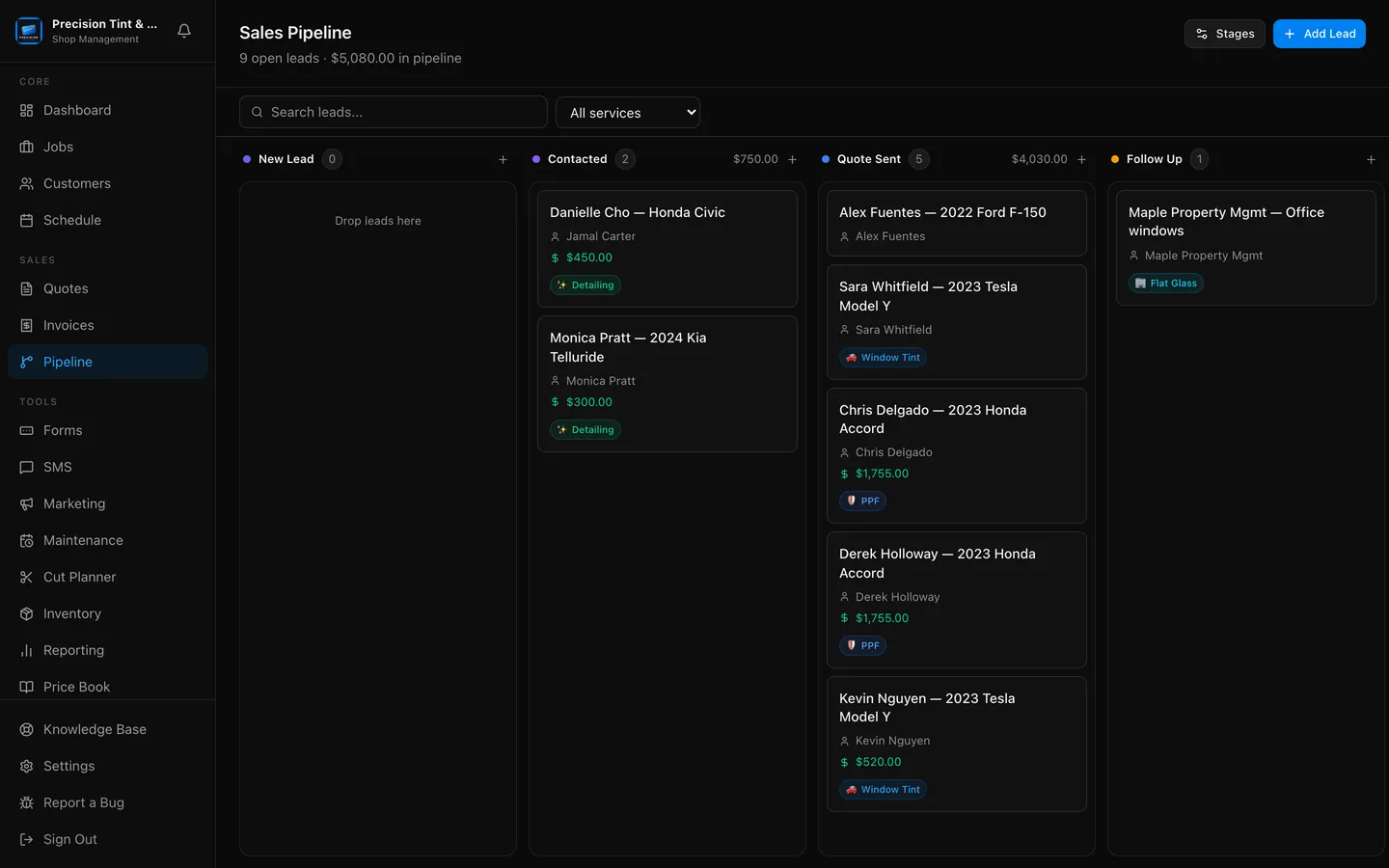
Forms feed the pipeline, the pipeline feeds the calendar. Every lead carries its source, its quote value and a nudge when it needs a proposal. Book a customer while they are still on the phone, or let them see your price and book themselves from a booking page on your website.
Jobs and schedule
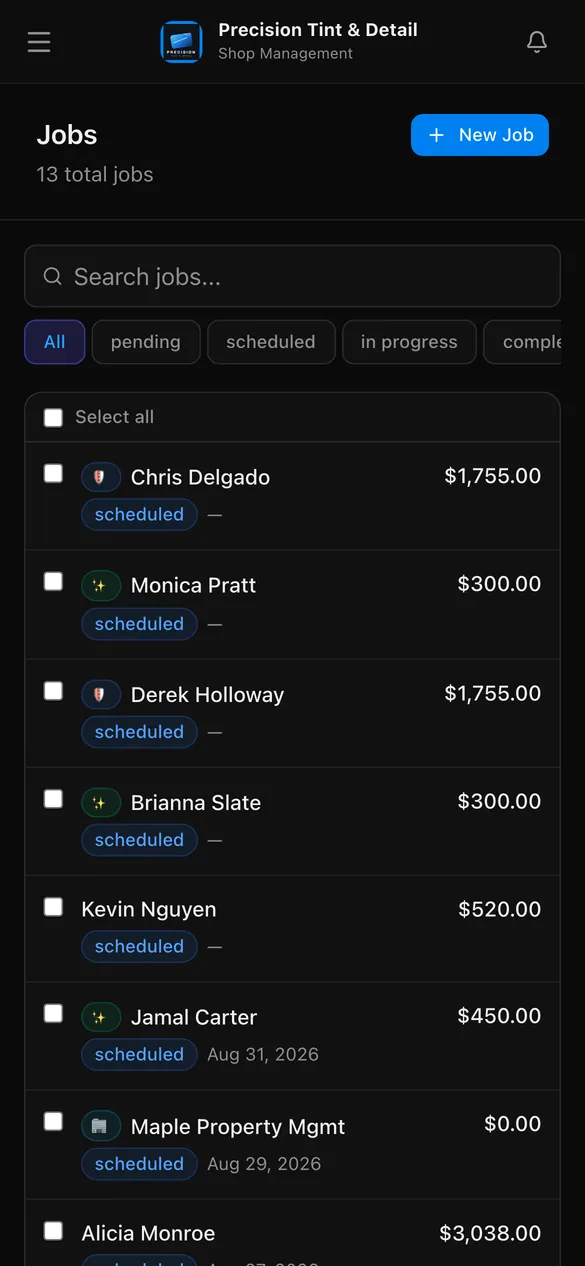
Day, week, month and list calendar, reschedule from the job in two taps, multi-installer assignment, estimated duration, and Start and Complete stamps that turn into real time-on-the-job reporting. Photos, condition notes, e-signed waivers and warranties ride along with the job.
Texting and reviews
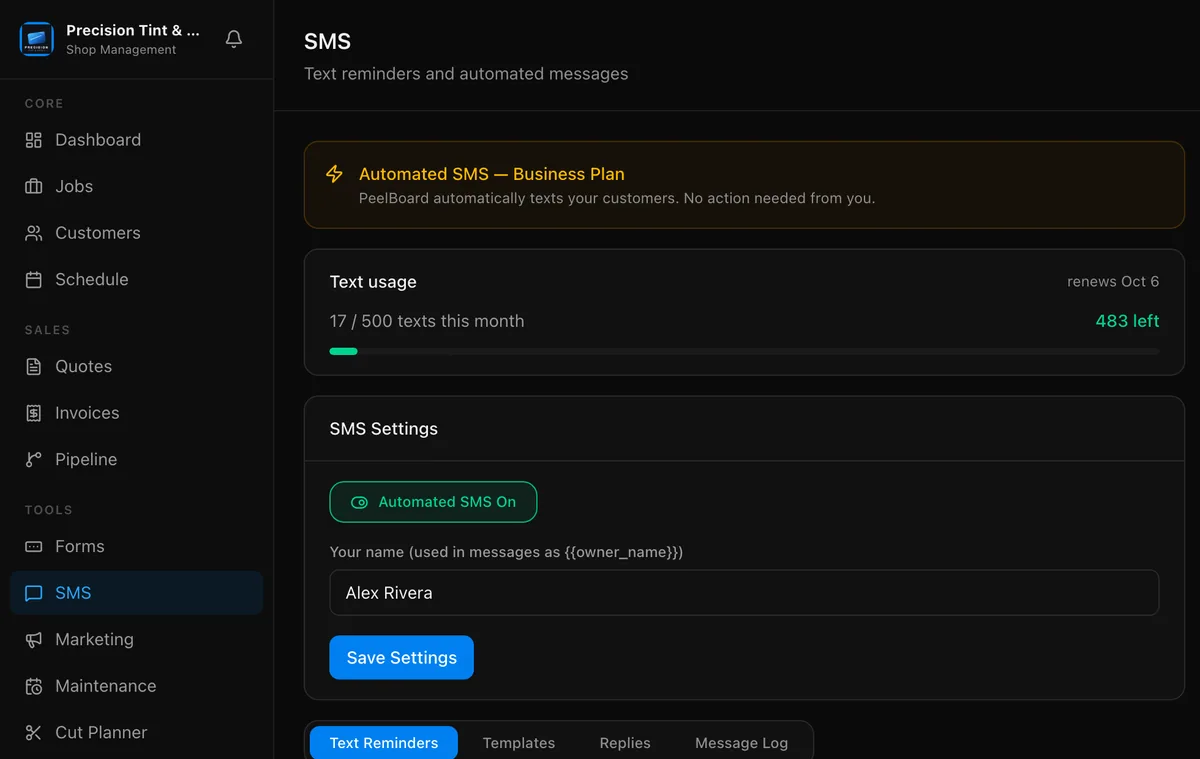
Ten templates across eight triggers: booked, reminders, on my way, complete, review request, quote follow-up. Reviews go on autopilot straight to your Google Business Profile, then sync back onto your shop website.
Money that lands the same day.
Stripe or Square hosted checkout, so customers pay the way they already pay. Deposits, partial payments, tips, refunds, receipts, payment links by text and PDF invoices. Paid plans take a 0% platform fee.
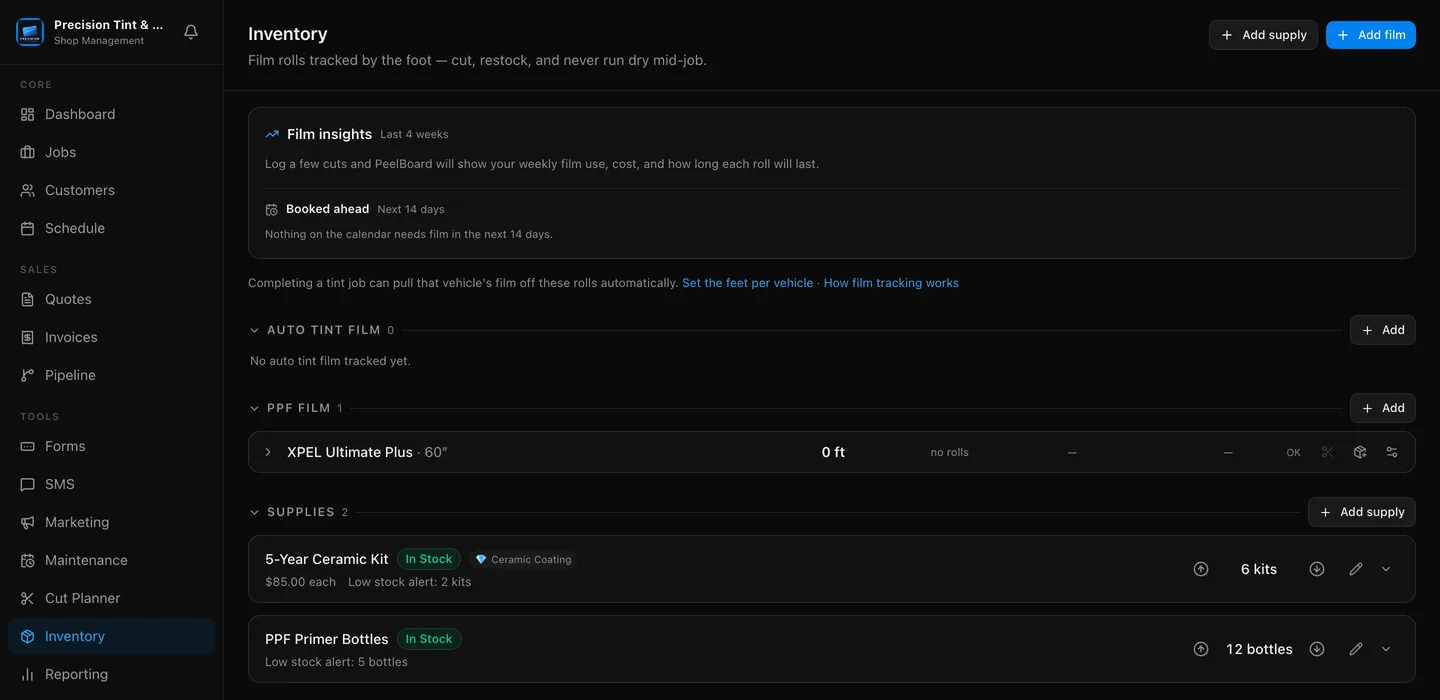
Film counted by the foot, not by feel.
Rolls tracked per SKU with low-film alerts and reorder lists. PPF jobs deduct film by coverage and vehicle size when the job completes. The Cut Planner optimises flat-glass cuts and marks the waste. Film insights turn all of it into cost per week, days of film left, and true margins after overhead.
The part nobody else gives you.
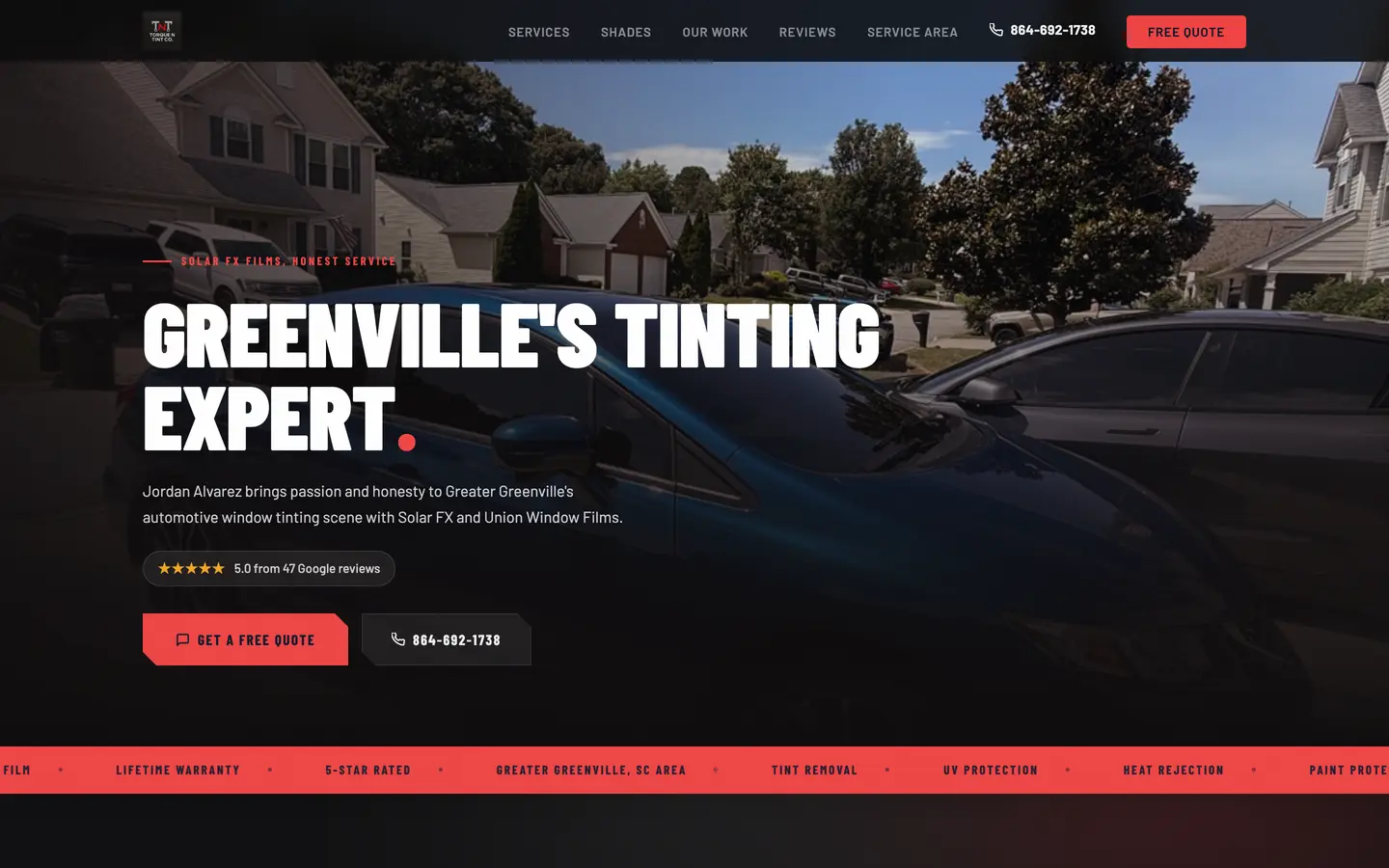
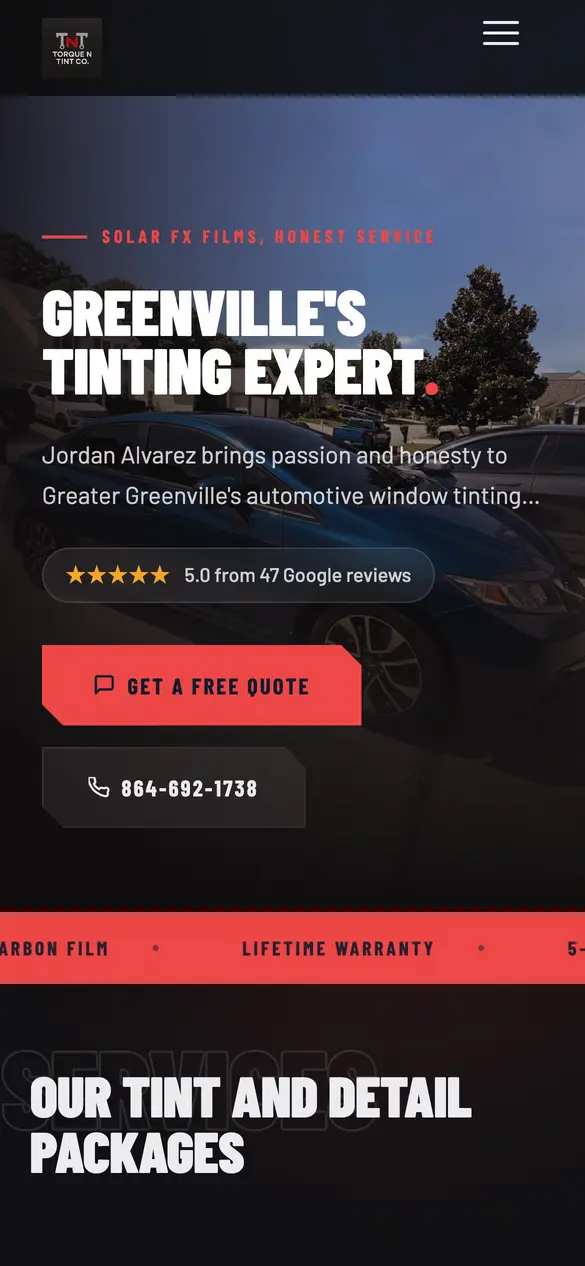
A hosted shop website, included with Business, with a look you pick (backgrounds, motion and fonts), a portfolio, a before and after slider, your synced reviews and a lead form. Runs at your PeelBoard address, or point your own domain at it and we handle the SSL. Ad Studio builds branded social ads off your real price book, unlimited and unmetered. Job photos and saved ads turn into posts for Google, Facebook and Instagram that wait for your approval. AI writes the emails, automations send them.
Numbers you would actually act on.
Side by side
How PeelBoard compares.
Seventeen rows, eight products. Each cell is included, partial, or not offered — nothing else.
Competitor information comes from each company’s own public pricing and feature pages, checked on September 13, 2026. Plans and features change; if something here is out of date, email admin@getpeelboard.com and we’ll fix it.
Every cell above is taken from that company’s own public pricing and feature pages, checked September 13, 2026.
Competitor details from their public pricing and feature pages on Sept 13, 2026. Plans change; tell us if we got one wrong: admin@getpeelboard.com
Your installers see the work.
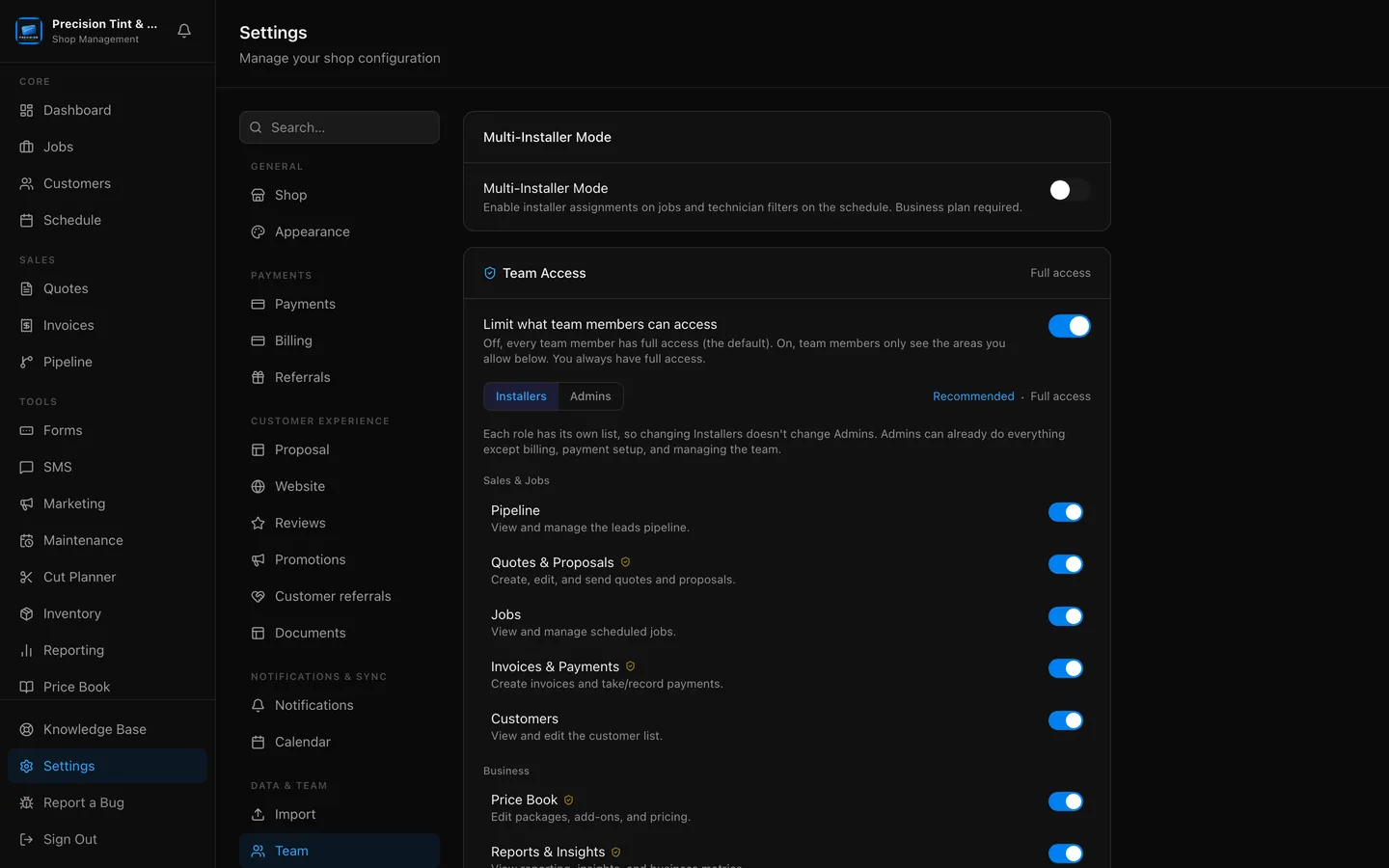
Owner, Admin and Installer roles with per-feature access and per-person overrides. Flip "Prices and money" off for a role and every dollar amount disappears: the job page shows the work, not the numbers. Notifications follow access, so installers never get lead or payment alerts.
In your pocket, in the bay.
Install it to your phone as a home-screen app today; native iOS and Android apps are on the way. Push notifications land the second a lead comes in or a payment clears.
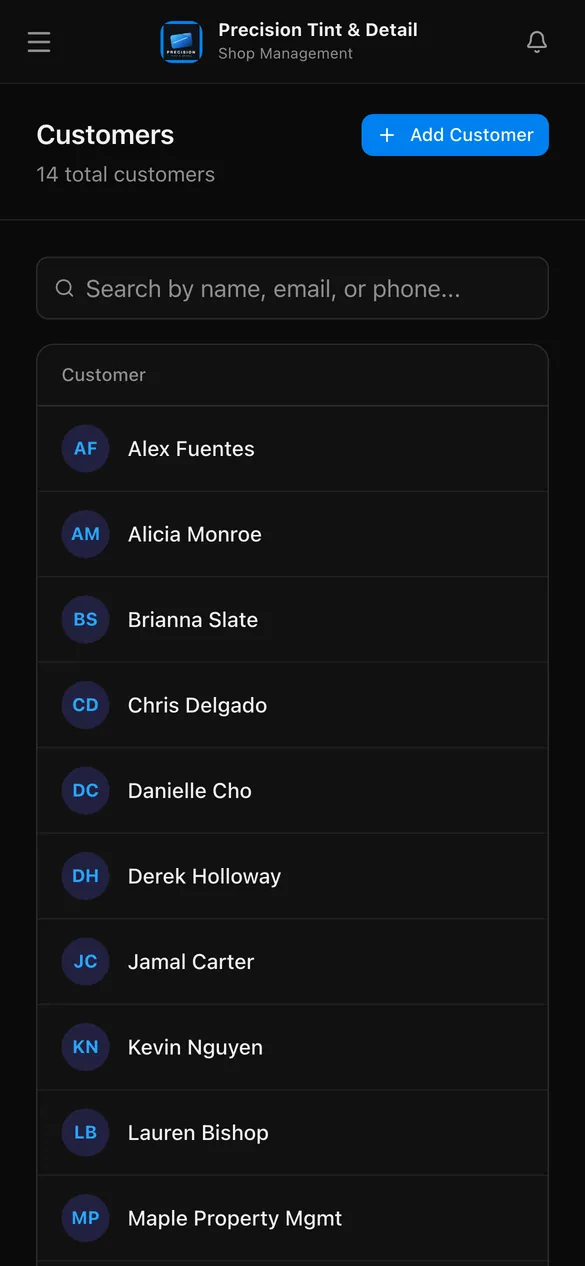
Bring your customers with you.
One import pulls your customer list across and skips anyone you already have, so re-running it is safe. Your old data stays where it is. Nothing gets deleted over there.
Import my customersFrom shops already running on it.
Built in the bay, not a boardroom.
PeelBoard is built by a working window tinter, and it runs his shop, Torque N Tint Co., every single day. Every quote, every booking, every invoice at that shop goes through PeelBoard first. If a feature slows down a real shop day, it does not ship.
No fake testimonials on this page and no invented stats. Just software from somebody who has peeled the liner, chased the invoice, and got tired of duct-taping the business side together with texts and spreadsheets.
The founder, Torque N Tint Co., South Carolina
Pricing
Start free. Upgrade when it pays for itself.
No credit card. Cancel anytime. When the trial ends you drop to Free, never charged silently.
Fair questions, straight answers.
I am on Tint Wiz. How painful is switching?
Not very. One import pulls your customers straight out of Tint Wiz, and Square and Goldie work the same way. Anyone you already have is skipped, so you can run it more than once. Set up your price book and you are quoting the same day. Your old data stays in Tint Wiz, nothing gets deleted over there.
Does it really handle PPF, ceramic, detailing and wrap, or is it a tint app with extra labels?
Each trade is first class with its own pricing tooling. Film tiers and vehicle classes for tint, zone-based coverage packages for PPF, products with warranty ratings for ceramic, packages plus rebooking for detailing, package pricing for wrap, and a full Lead to Consultation to Proposal to Install pipeline with per-window quantities for flat glass. If your shop sells it, you can quote it properly.
Do I need a credit card to try it?
No. Every new shop gets 14 days of the Business plan with every feature unlocked and no card on file. There is nothing to cancel because there is nothing to charge.
What happens when the trial ends?
Your account drops to the Free plan automatically. You keep your data and the core tools: quotes, jobs, customers, schedule and price book. Upgrading is always a choice you make, never one made for you.
I do not have a website. Is that a problem?
The opposite. A hosted shop website is included with the Business plan: a look you pick, a portfolio, a before and after slider, your synced Google reviews and a lead form that feeds your pipeline. It runs at your PeelBoard address, something like yourshop.getpeelboard.com, or you point your own domain at it and we handle the SSL.
Can I keep my installers out of the money?
Yes. Turn "Prices and money" off for the Installer role and every dollar amount disappears for them, along with Quotes, Invoices, Price Book and Reports. They see the work, the vehicle and the schedule. Notifications follow the same rules.
Is my shop's data safe?
Every shop's data is isolated from every other shop's at the database level, so your customers, prices and revenue are yours alone. Payments run through Stripe or Square, which means card numbers never touch PeelBoard.
What does it cost to send texts?
Business includes 500 texts a month, and the allowance resets on your billing cycle rather than the first of the month. If you run out, another 500 is $10.
Run the whole shop from one board.
Set the price book up tonight, send your first proposal tomorrow. 14 days of Business, every feature unlocked, no card.
Start free
Post to Google, Facebook and Instagram, from the photos you already take.
Every job with photos becomes a ready-to-go post with a caption written for you. It waits for your OK, then goes out to the places you tick.
Take the photos you already take.
Mark the finished shots as Social post when you add them to the job. A burst inside about 20 minutes becomes one post, not five. Vehicle condition photos are never posted.
Check the caption.
One caption for each place, written from the car, the work and the film on the job. Never a customer's name, plate or number. Change anything, or write your own.
Approve, and it posts.
Nothing goes out until you say so. After three approvals you can switch on Post without asking me, still inside your daily post limit.
Included on Business, and in the 14-day free trial. Ads you save in Ad Studio become posts too.
Fresh ceramic tint on this Model 3. 20% on the sides and back for privacy and a cooler cabin, same clean factory look. Book yours at the link. #windowtint #ceramictint #PeelBoard